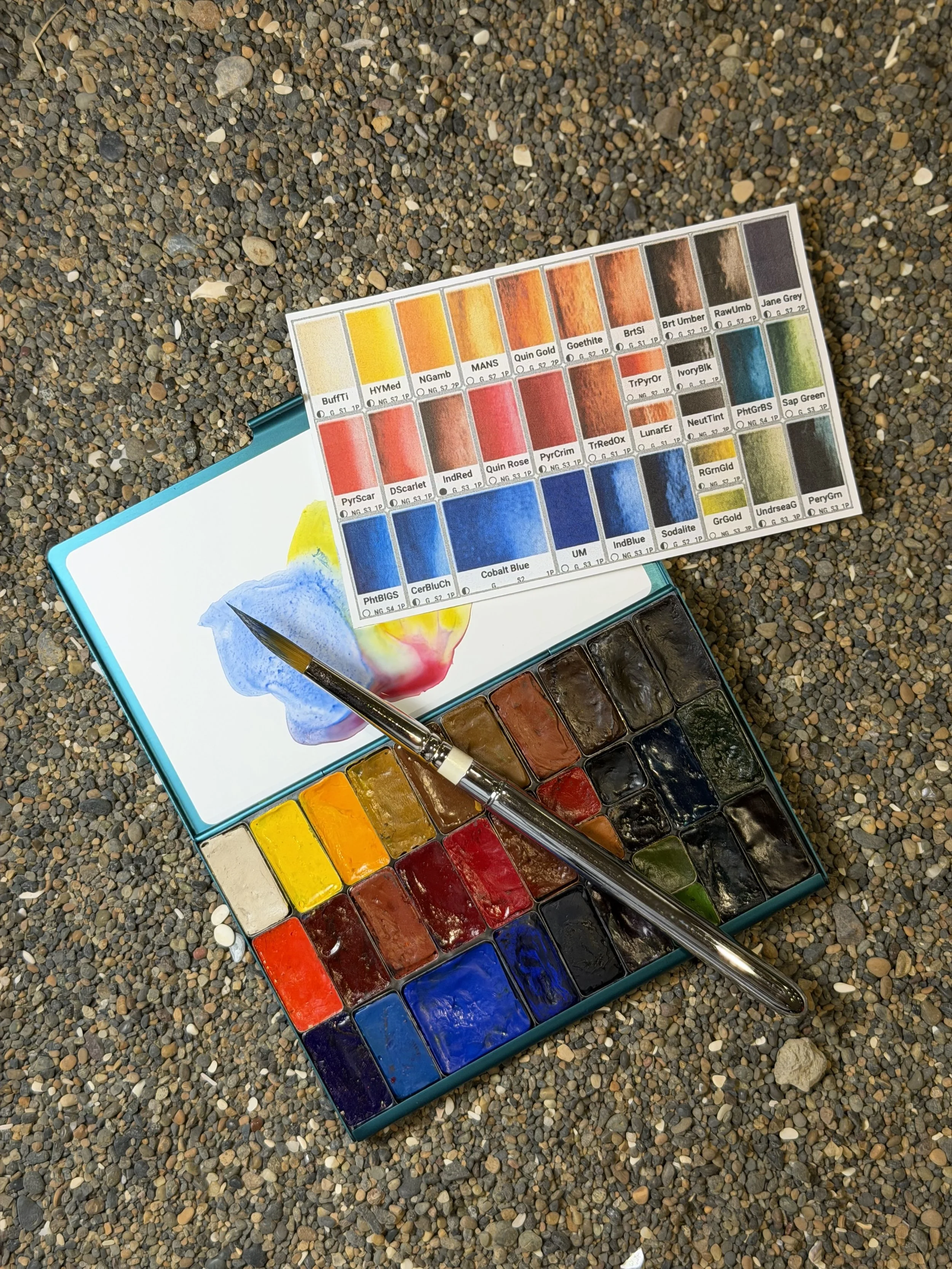
Watercolor palette decisions made easy
EasySwatch is a free visual watercolor palette planner built around the way watercolor artists really work.
Choose a palette type, arrange pans in their correct relative proportions, and explore more than 700 professional colors. See how your paints and pans work together before settling on a layout.
It started with Pam’s ever-changing palette
Pam is always modifying her watercolor palettes—a smaller setup for travel, different colors for a workshop, or a few carefully chosen paints for wherever she’s going next.
Planning a new palette with pencil and paper takes time, especially without color cues. You think you’ve got it, put the pans in place, start the swatch card—and then realize, Nope. I don’t intuitively reach for that color there. Now the swatch card has to be done again. Imagine trying layout after layout in a fraction of the time, until it feels just right.
With that problem in mind, Pam’s SW engineer husband Dale built a visual tool that makes rearranging a palette as easy as dragging a pan across the screen. That little tool grew into the over-engineered EasySwatch you see today. EasySwatch is free for watercolor painters, with some spiffy Pro features available for a one-time nominal charge.
EasySwatch works on phones although, like watercolor, it likes room to breathe. Computers and tablets are its happy place.
Plan your palette virtually
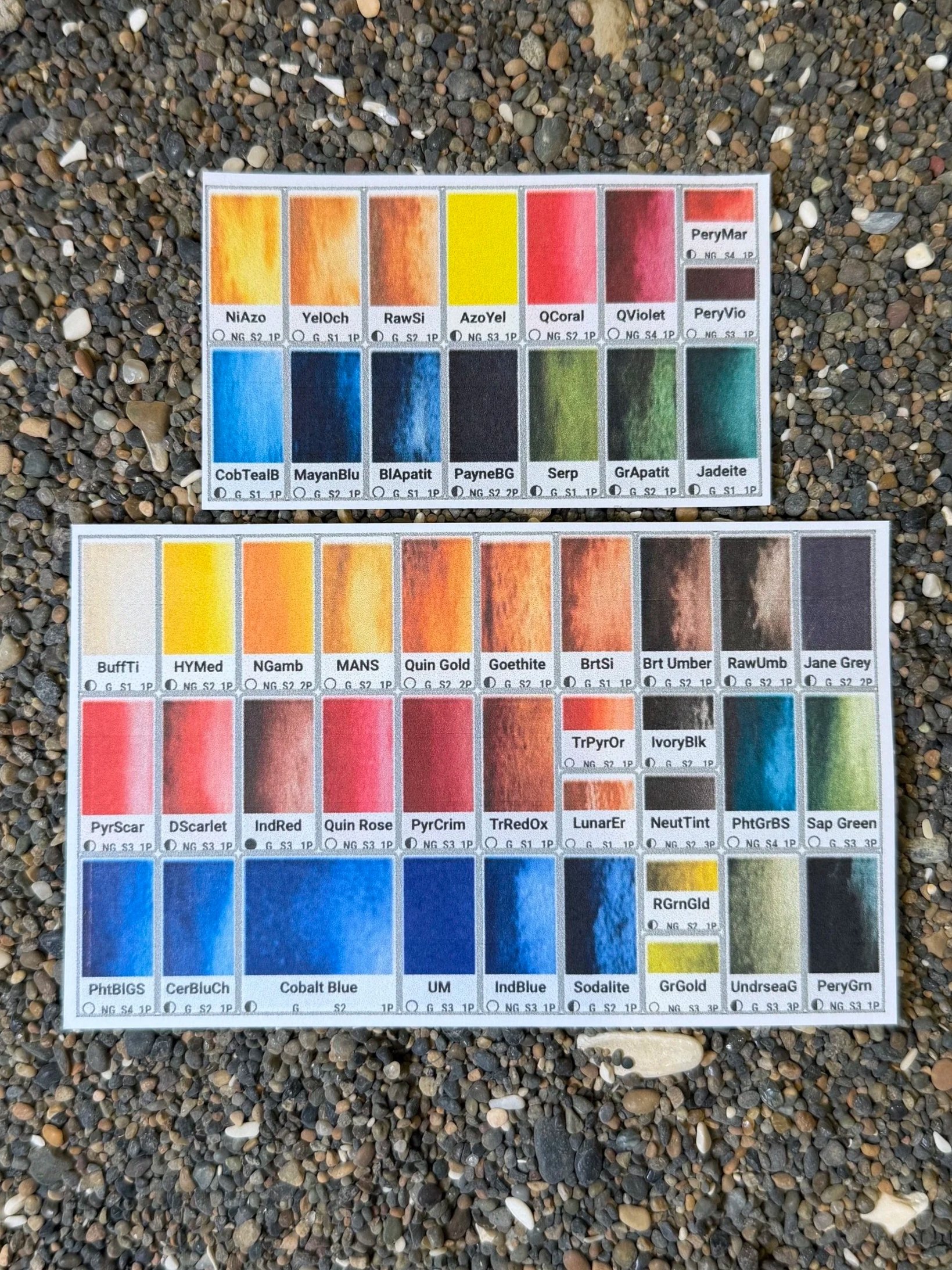
Choose your palette type and arrange pans of different sizes on screen. Fill them with your paints and try different layouts while EasySwatch keeps the pans in correct relative proportions, so you can see what will actually fit. With EasySwatch Pro, print your swatch sheet at 100% scale.
Move things around as often as you like. Try another layout. Then another. No re-swatching, and no discovering too late that the arrangement that looked good on paper just doesn’t feel right in use.
Explore more than 700 paints or add your own
EasySwatch includes more than 700 professional colors from Daniel Smith, Winsor & Newton, Da Vinci, and Schmincke. Compare colors and paint characteristics while building your palette, or add your own paints and custom mixes. Experiment virtually with what happens if you mix two paints. Get AI’s ideas about paint mixes for difficult scenes. EasySwatch uses the manufacturers’ digital swatches for planning, but nothing beats the real paint, so if you prefer, print the swatch sheet without the colors and paint your own!
“Wait—don’t I already have that color?”
It’s a familiar question, usually while standing in an art-supply store with yet another tube in hand. EasySwatch helps you keep track of the paints you own, review their characteristics, and compare a tempting new color with what’s already in your collection. Your paint drawer may still be chaotic. At least you’ll know what’s in it.
EasySwatch Pro adds even more power to your planning
EasySwatch Pro includes:
Actual-size, full-color printable swatch sheets
Paint names and characteristics printed on each swatch
Multiple saved palettes
Access to your palettes across devices
Paint inventory tracking
Made just for watercolor artists
EasySwatch began as the solution to one artist’s constantly changing palette. Dale thought other painters might find it useful too. It isn’t some grand money-making scheme. EasySwatch is free to use, with Pro priced simply to help pay for the servers—and Dale’s coffee!
EasySwatch is meant to help you spend less time rearranging pans, second-guessing colors, and wondering where that tube went—and most importantly, more time painting.